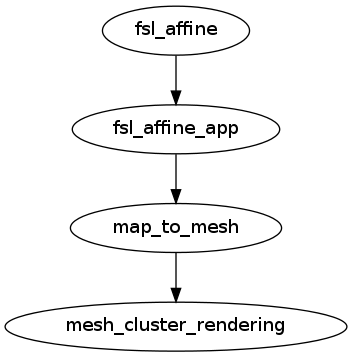
caps.quality_control.brainvisa_map_cluster_analysis.MapClusterAnalysis
MapClusterAnalysis
- class caps.quality_control.brainvisa_map_cluster_analysis.MapClusterAnalysis(autoexport_nodes_parameters=True, **kwargs)[source]
Visulaize a weight map
Steps are: * Extract and Mesh Clusters in a standard space * Register the reference to the target image and aplly the affine transformation to the map image. * Vizualization of signed stattistic map or weigths
Inputs
[Mandatory]
map_image: a file name (mandatory)
input file
|
moving_image: a file name (mandatory)
input file
|
reference_image: a file name (mandatory)
reference file
|
thresh_neg_bound: any value (mandatory)
Negative bound threshold (lower, upper)
|
thresh_pos_bound: any value (mandatory)
Positivee bound threshold (lower, upper)
|
thresh_size: an integer (mandatory)
Threshold, in voxels nb, between small and big clusters
|
white_mesh_file: a file name (mandatory)
a mesh file of the underlying neuroanatomy
|
[Optional]
Outputs
cluster_file: a file name
Cluster file
|
cluster_mask_file: a file name
Cluster mask file
|
connected_components: a file name
Connected components
|
mesh_file: a file name
Mesh file
|
register_map_image: a file name
path/name of registered file (if generated)
|
register_ref_image: a file name
path/name of registered file (if generated)
|
Pipeline schema